 BeatSocial
Everything it does, and why
BeatSocial has one job: make the distracted choice harder than the focused one. Here’s every tool it uses to do that.
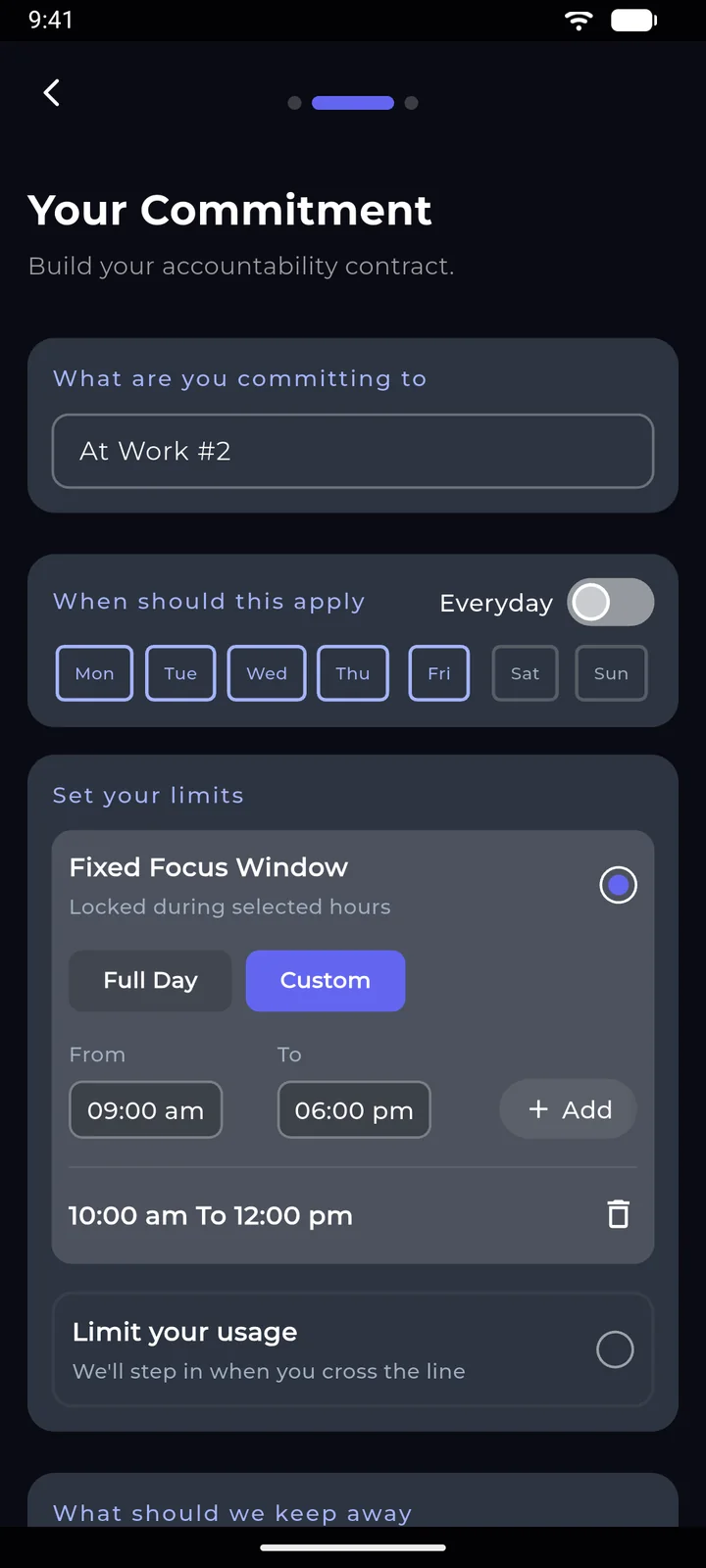
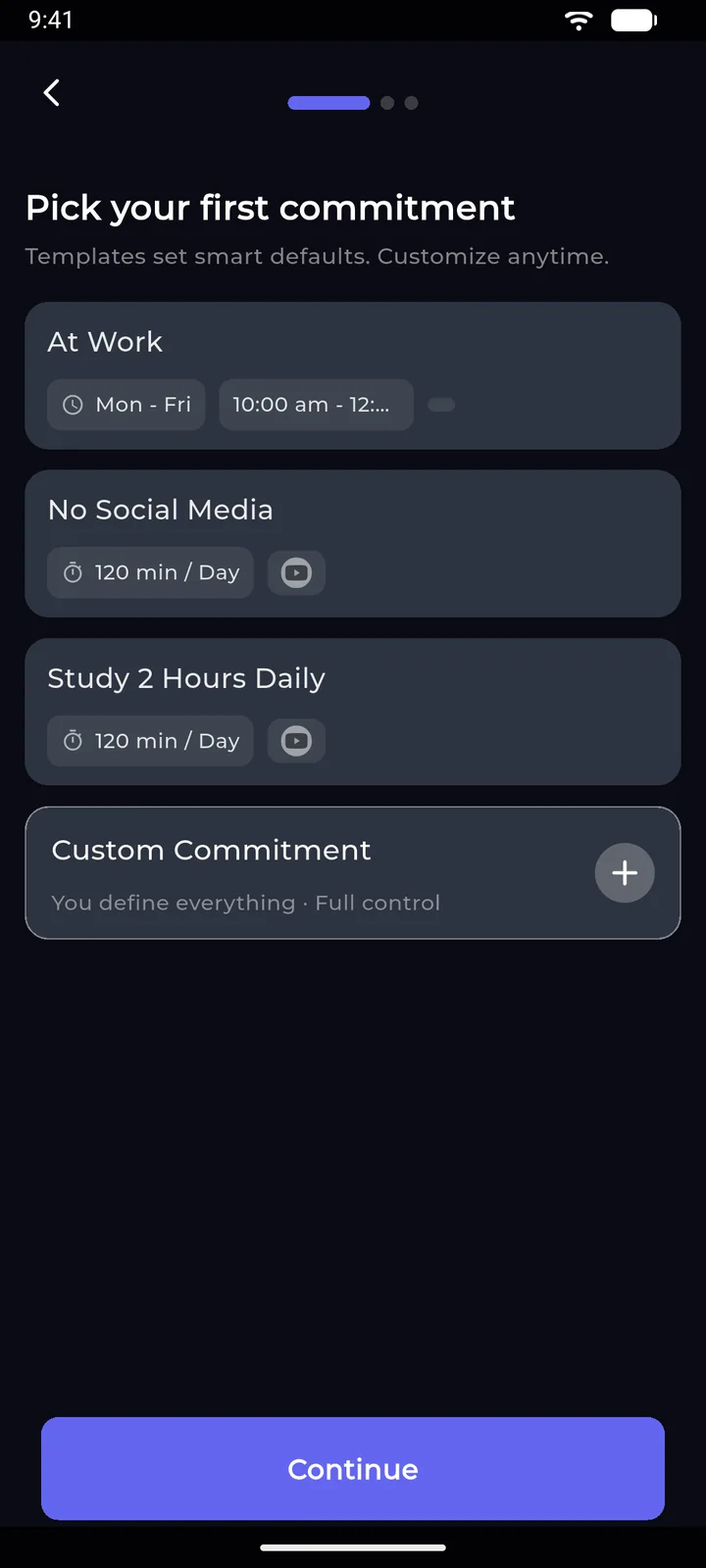
Two ways to set a limit
Some apps need to be off during work. Others just need a ceiling. Each commitment can do either.
- Fixed Focus Window. Locked during the hours you pick, on the days you pick. It starts and ends without you opening the app.
- Limit your usage. The app stays open until your minutes are used up, then the block screen takes over.
- Shared or separate. Give several apps one shared limit, or give each one its own.
Block apps, websites and keywords
Reels don’t only live in one app. Your block list covers the places the same distraction turns up.
- Apps. Choose from what’s installed on your phone.
- Websites. Add any domain and it’s blocked in supported browsers.
- Keywords. Pages containing a word you’ve listed get blocked too.
- Adult content. Blocked with a single switch.
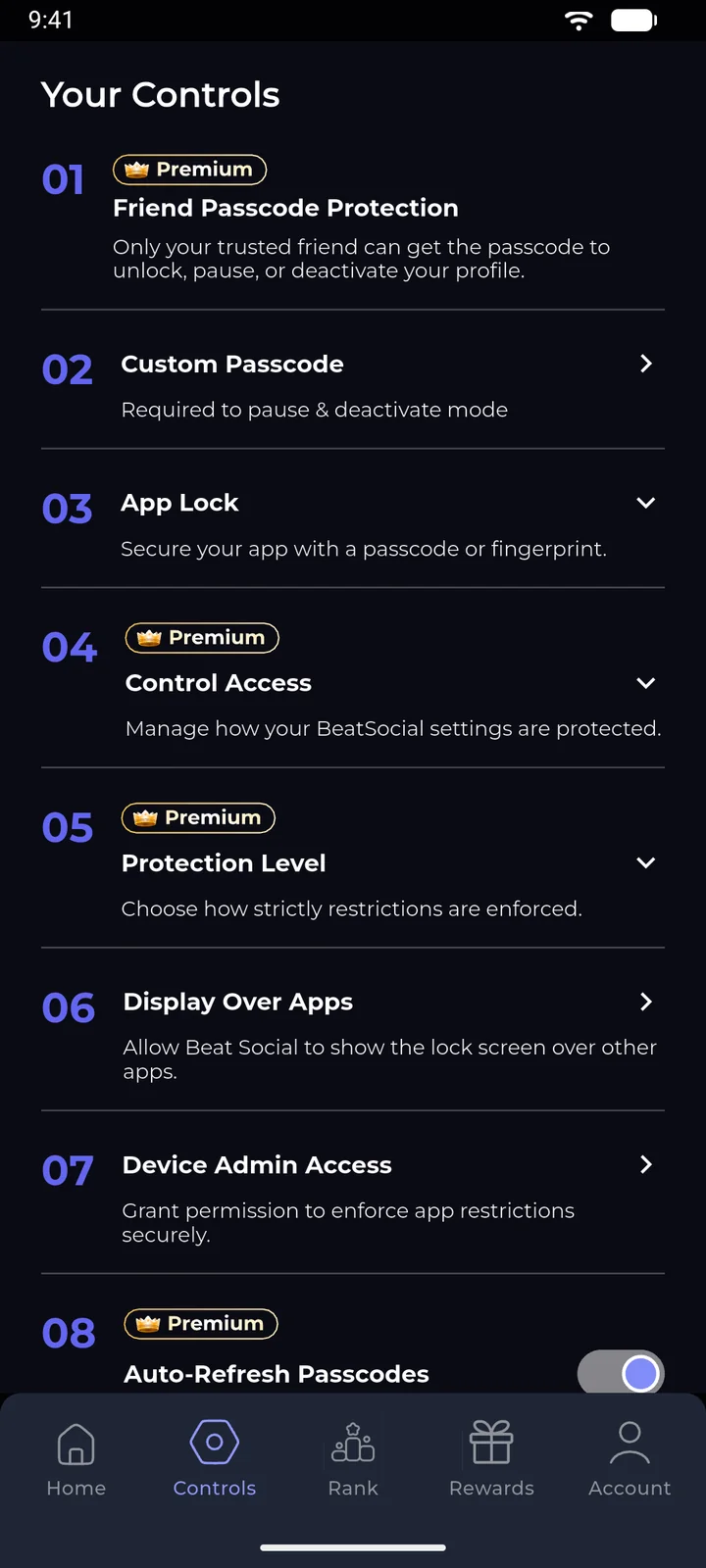
Pick how hard it is to quit
Every commitment has a control level. Be honest with yourself about which one you need.
- Self Control. Pause or stop whenever you like. Good for a first try.
- Custom Passcode. A code you set, needed before you can pause or deactivate.
- Friend Passcode. Your Beatmate holds a code you never see. A Premium feature.
- App Lock. A passcode or fingerprint on BeatSocial itself.
Make the block screen your own
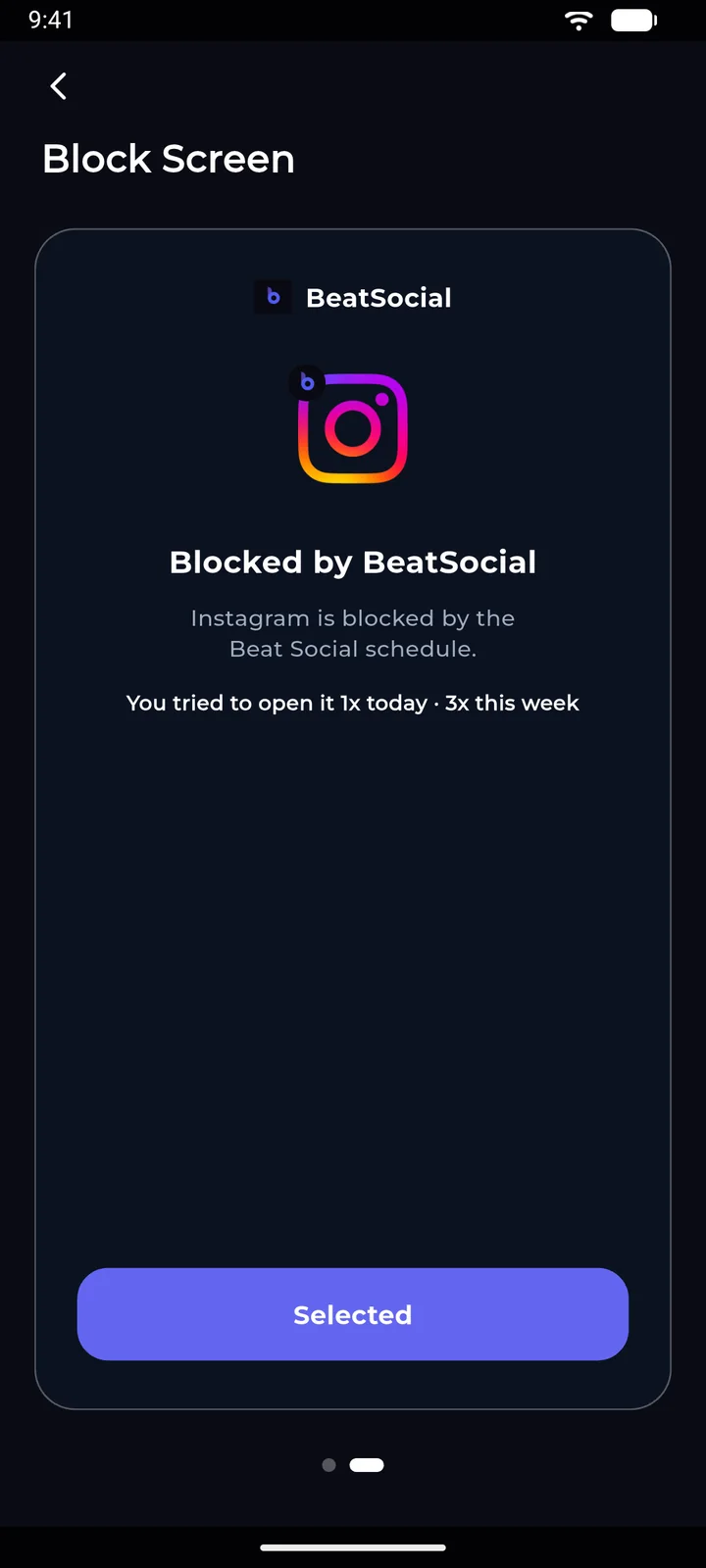
This is what you’ll see at your weakest moment, so it’s worth choosing well. Pick a design, then change the heading and image.
- Attempt counter. “You tried to open it 1x today, 3x this week.” It stings a little, which is the idea.
- Your own words. The default reads “Discipline is choosing future you over present you.” Replace it with whatever works on you.
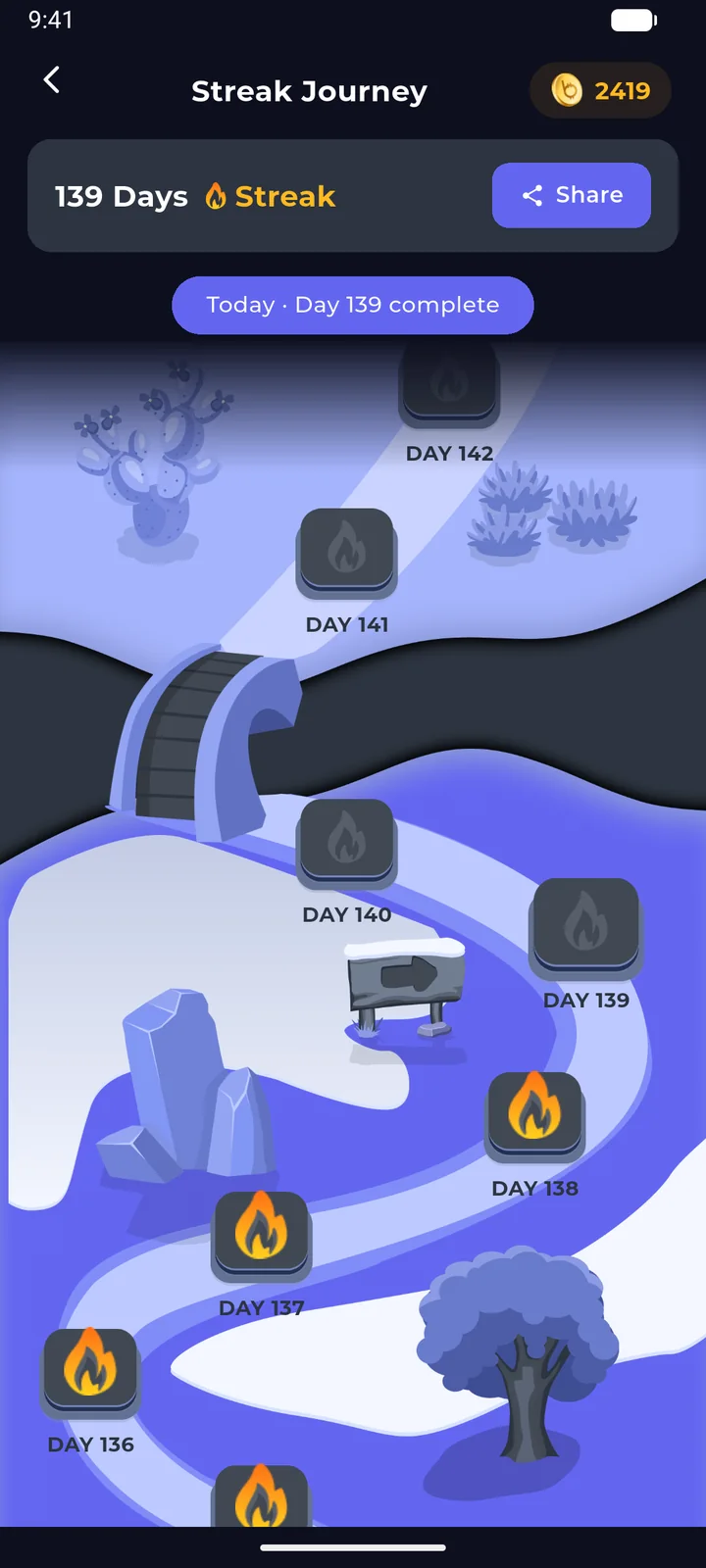
Streaks, coins and a weekly race
The rewards are there to make the first two weeks easier, when the habit hasn’t formed yet.
- Streaks. Complete at least half of your scheduled commitments in a day to keep yours alive.
- Staking. Put coins on a commitment for double the reward, or lose them if you fail.
- Leaderboard. Ranked on the last 7 days of earnings. You can hide yourself from it in settings.
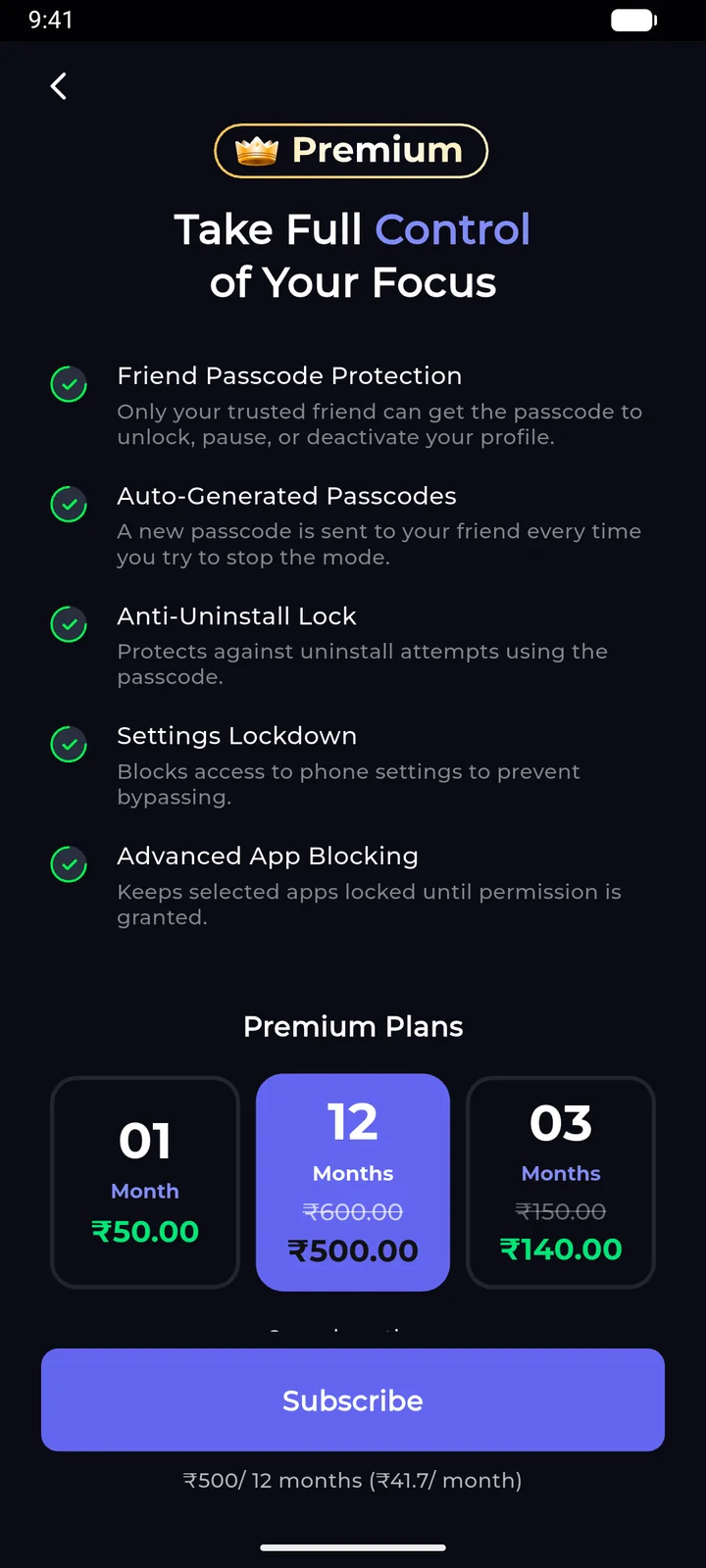
Premium, for when you know yourself too well
The free app blocks. Premium closes the loopholes you’d otherwise use at 1 AM.
- Friend Passcode Protection. Only your friend can unlock, pause or deactivate.
- Auto-Generated Passcodes. A fresh code every time you try to stop.
- Anti-Uninstall Lock. Uninstalling needs the passcode.
- Settings Lockdown. Phone settings are behind the passcode as well.
- Advanced App Blocking. Keeps selected apps locked until permission is granted.
Five languages
English, Hindi, Spanish, French and German.
Home screen widgets
Check your screen time or take a short break without opening the app. Passcode-protected commitments stay locked.
Notification blocking
During Quick Focus, notifications from blocked apps stay quiet as well.